Product
A free peptide tracker. No paywall.
Log each dose with one tap. See what is left in every vial. Keep your sites in rotation. Free on every plan, with no limit on what you track.


Coming soon to iOS and Android.
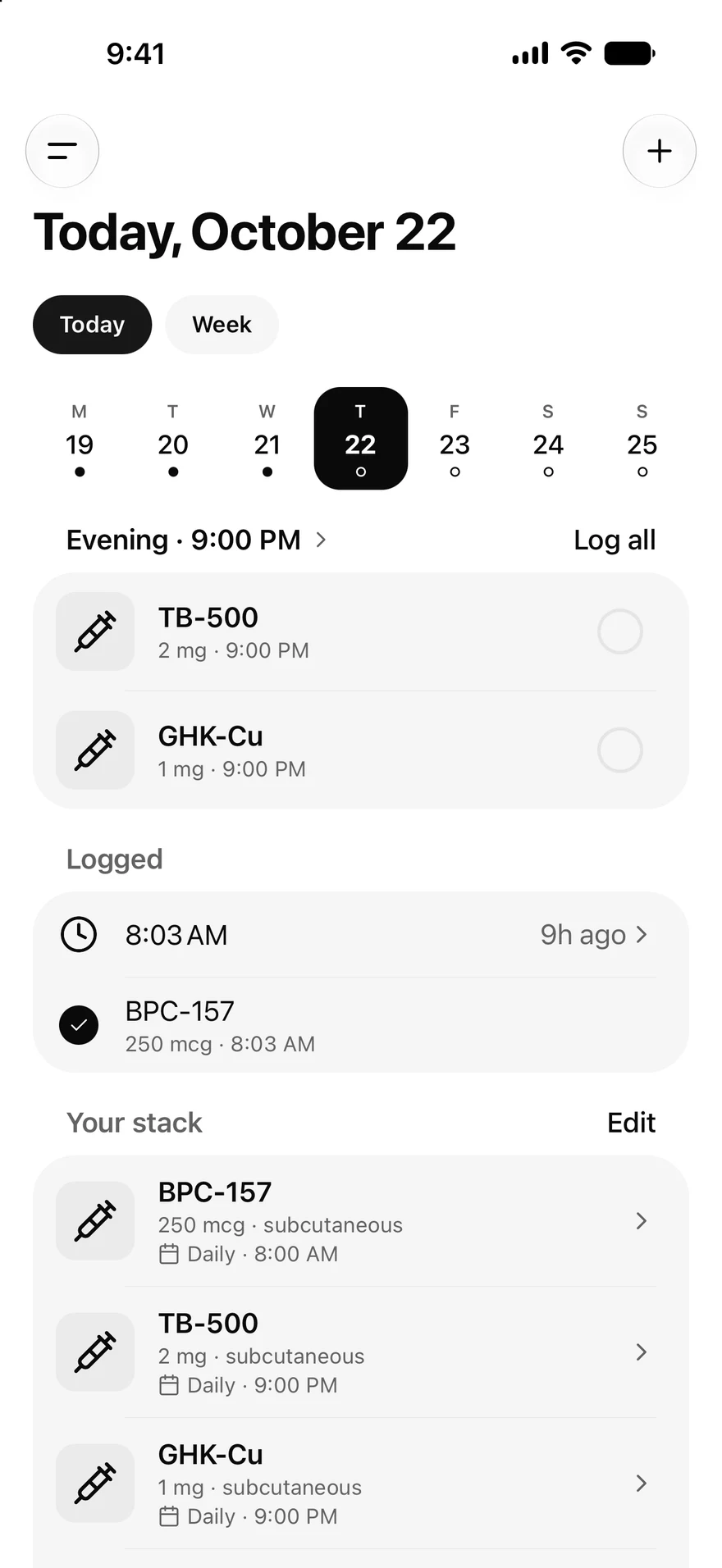
One tap logs it.
Add what you run and every entry lands on Today at its time. Tap the ring and it's logged with the dose, the next site in rotation, and the vial in use.
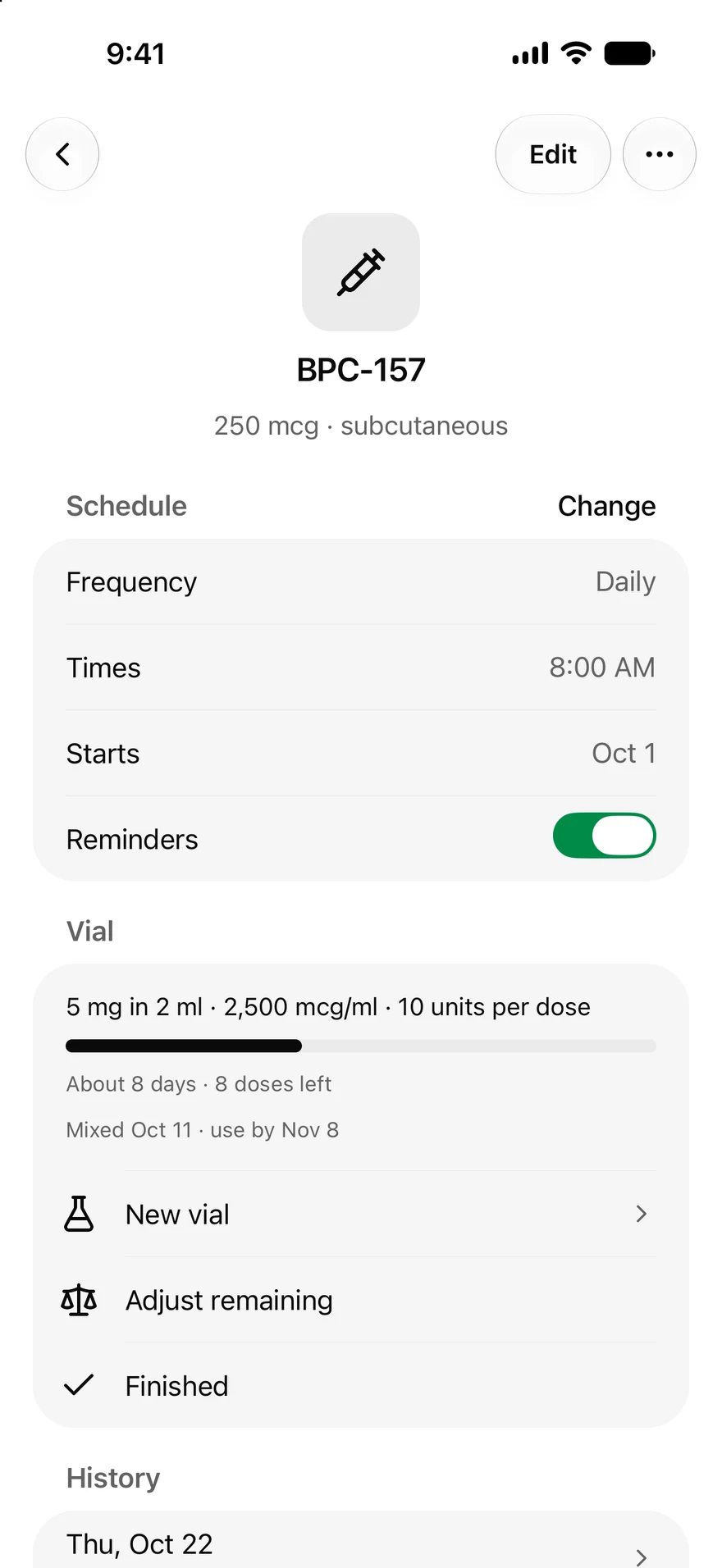
Every vial counted.
Each entry draws from the vial, so you always know about how many days and doses are left. Reminders come to your phone at the times you set.
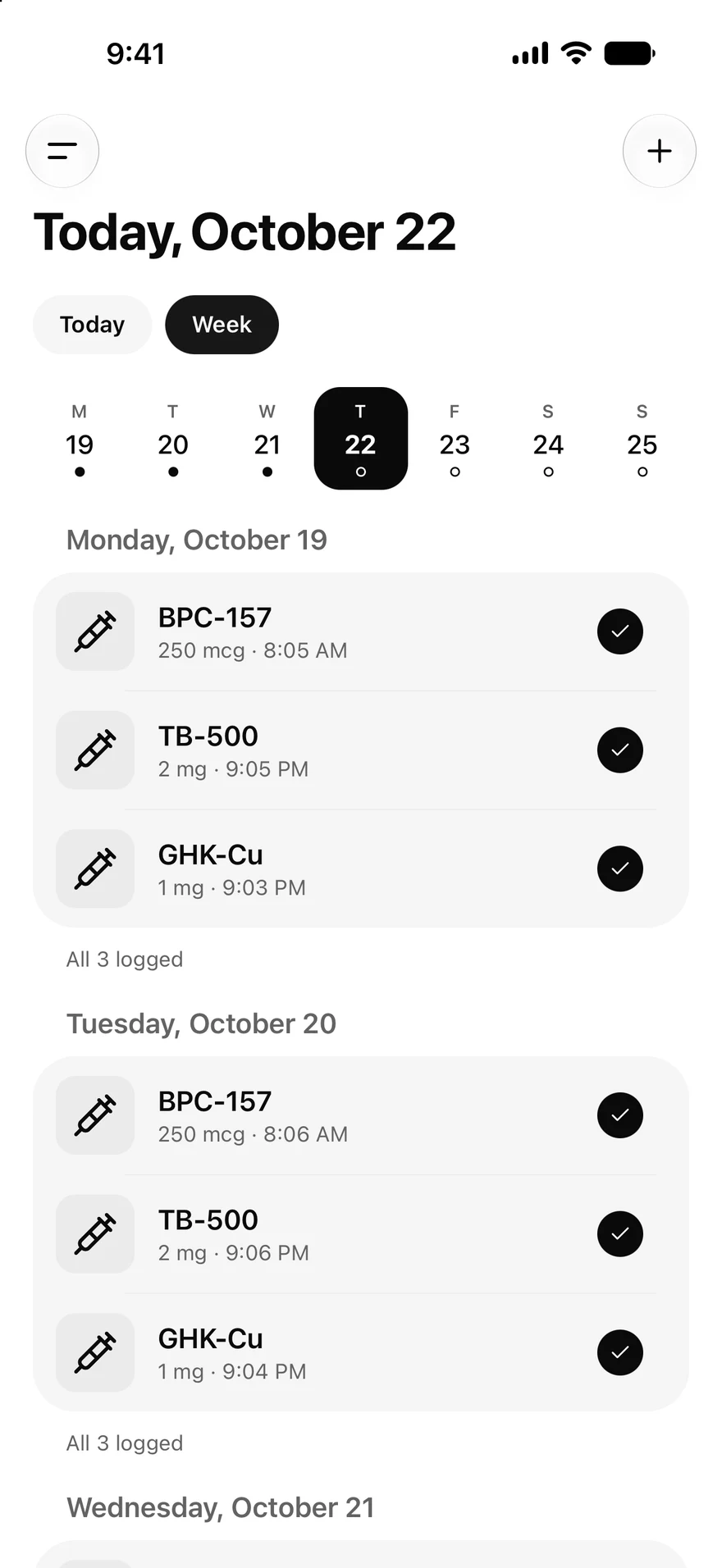
The week at a glance.
One dot per day: filled when everything is logged, a ring when something is still open. No streaks, no scores. Just what you did.
The three things you check
What a tracker is for, without the spreadsheet to babysit.
Doses left in every vial
Save a vial once. Every entry you log draws from it, so you always see about how many days and doses are left. When it runs low, the bar turns amber.
The next site in rotation
One tap logs the entry with its amount, the vial in use, and the next site in your rotation. No more guessing which side came last.
Reminders that arrive
Reminders come from ChatPEP's servers at the times you set, with Log and Snooze right on the notice. They arrive in the iPhone and Android apps, which are coming soon. On the web, Today shows what is due.
Schedules that fit a real protocol
Set it once when you add the item. Today lays out every entry from then on.
Any rhythm
Daily, twice daily, every other day, every few days, set weekdays, or as needed.
Up to four times a day
Each time of day gets its own card on Today, and one tap logs everything due.
Cycles on and off
Set days on and days off, counted from the start date. Today follows the cycle for you.
Skip, or log it late
Skip an entry with a reason. Log one you missed at the time it happened, and edit any past entry from its history.
From the calculator to the vial
Work out the mix once in the reconstitution calculator, then select Save as vial and pick the item it belongs to. Every entry you log draws it down.
The calculator does the arithmetic on the numbers you enter. It never suggests an amount. Open the calculators
Everything in one place
Use it in any browser now, and on iPhone and Android when the apps arrive. One account covers all three.
A schedule you change on the computer reaches your phone within a minute. Your log lives in your account, not on the device, so a new phone starts where the old one stopped.
Compared with a calendar, notes, or a spreadsheet
Most people start with one of these. Here is what each keeps for you.
| Keeps | Calendar | Notes | Spreadsheet | ChatPEP |
|---|---|---|---|---|
| The schedule | Yes | By hand | By hand | Yes |
| Doses left in the vial | No | By hand | By hand | Yes |
| The last site used | No | By hand | By hand | Yes |
| Reminders with a log button | No | No | No | Yes |
| Interaction check | No | No | No | Yes |
| History on every device | Yes | Yes | Yes | Yes |
Ask about what you logged
Ask about today reads your log and answers from the published research, with the studies cited.
The interaction check runs on every plan. It covers your whole stack and the medications on your profile. Questions count against your plan's daily messages, like any other message.
How to start
Three steps, and the first entry is on Today.
Step 1
Add what you run
Select Add a peptide on Today and type its name. Pick it from the list, or keep a name of your own.
Step 2
Set its schedule
Choose how often and at what time. Reminders are on unless you turn them off.
Step 3
Log the first entry
Tap the ring when it is done. The vial and the next site update on their own.
Questions
Is the tracker free?+
Yes. Today, My Stack, vials, reminders, the journal, and the interaction check are free on every plan, with no limit on what you track and no card to sign up. The weight trend in the journal is the one part that needs a paid plan.
Can I use it in a browser?+
Yes. Open Today in any current browser, on a computer or a phone. Reminders themselves come only to the iPhone and Android apps; on the web, Today shows what is due.
Does it work on Android?+
The Android app is coming soon, with the same tracker as the iPhone app. Until then, Today works in your phone's browser.
What happens to my log if I change phones?+
Nothing is lost. Your schedule, entries, vials, and journal are saved to your account, not to the phone. Sign in on the new one and it starts where the old one stopped.
Does ChatPEP tell me what to take?+
No. The tracker records what you tell it and shows it back to you. It never suggests an amount, a time, or a compound, and a reminder only repeats the time you set. See Research only: what that means.
Where is my data kept?+
In your ChatPEP account, private to you and left out of shared links. See What ChatPEP stores, and for how long.
Start tracking
Free on every plan. No card, and no limit on what you track.